
 Multi-currency support
Leveraged ETFs
Cryptocurrencies
UK Gilts
UK CGT reporting
Equalisation payments
List of shortcut keys
Notes on data storage
Multi-currency support
Leveraged ETFs
Cryptocurrencies
UK Gilts
UK CGT reporting
Equalisation payments
List of shortcut keys
Notes on data storage

Portfolio Inspector was hand-written by humans (me, specifically) with minimal AI input. For the moment, at least, I believe that nothing beats good old-fashioned human craftsmanship !

Change history
Here's a brief history of the changes that I've made to Portfolio Inspector. You can download the latest version here.
1.2.0 (released 2026-08-15)
Name change ! "Portly" has become "Portfolio Inspector". The default data directory is now %USERNAME%\AppData\Local\Portfolio Inspector rather than %USERNAME%\AppData\Local\Portly. If you ran an earlier version of the app, you will need to manually rename the data directory.
Misc changes to the import screens. E.g. now there's now more flexibility when describing the input format.
Minor GUI tweaks
The download package is now digitally signed for security and peace-of-mind
1.1.0 (released 2026-06-15)
The layout of the drilldown report (and other reports) can now be saved to disk and reloaded later. Just look for the save/load links under the 'Choose columns...' menu
Fixed a bug in the 'short initial stub' calculation for UK gilts (the original calculation was not pro-rating the first coupon correctly)
The default data directory is now %USERNAME%\AppData\Local\Portly rather than %USERNAME%\AppData\Roaming\Portly
Minor GUI tweaks
1.0.0 (released 2026-06-03)
Initial release
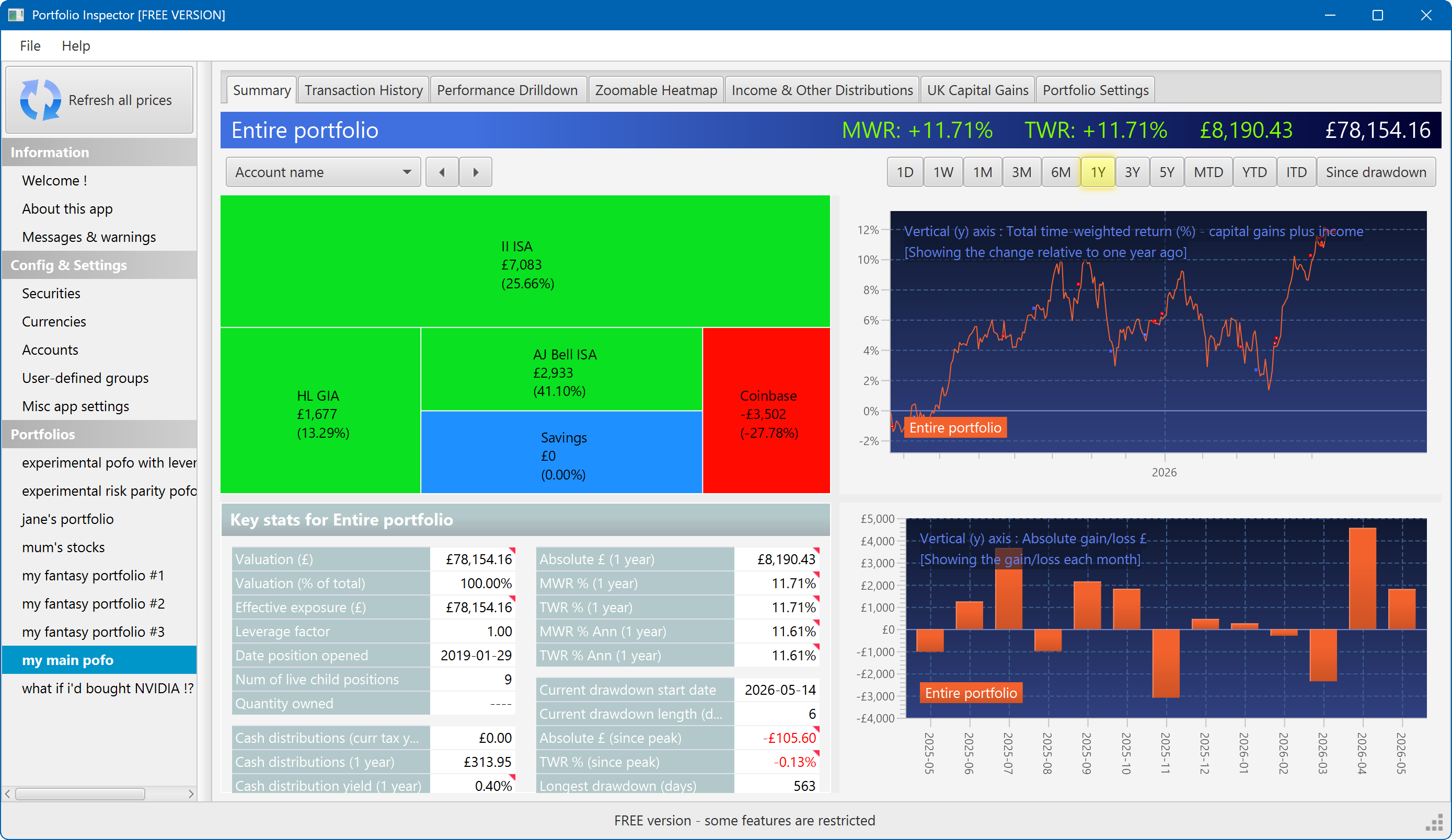
The summary screen gives an at-a-glance overview of your portfolio's performance. To read more about it, click here
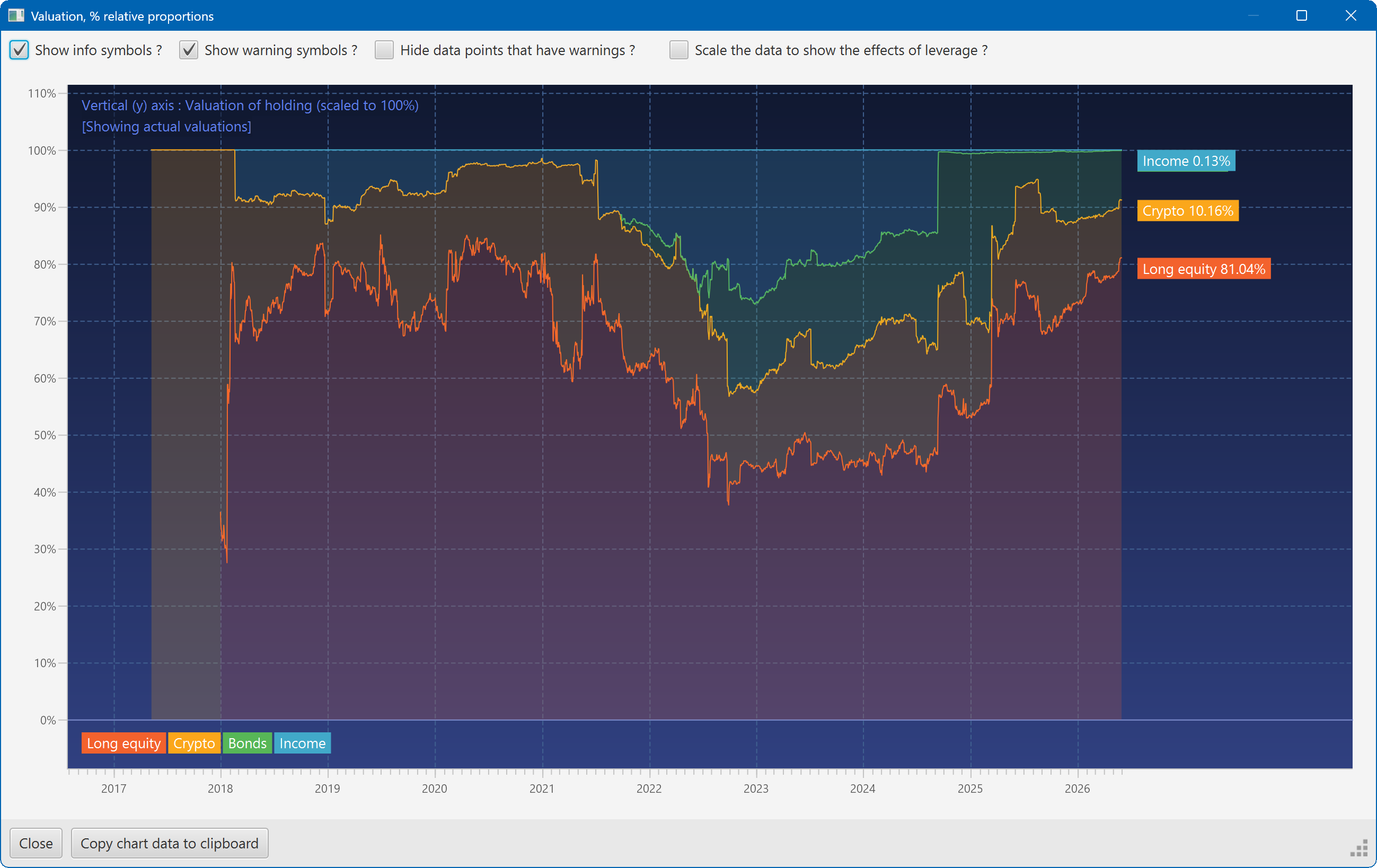
This plot shows the changing composition of a portfolio over time. It uses user-defined groups to organise the assets into different classes.
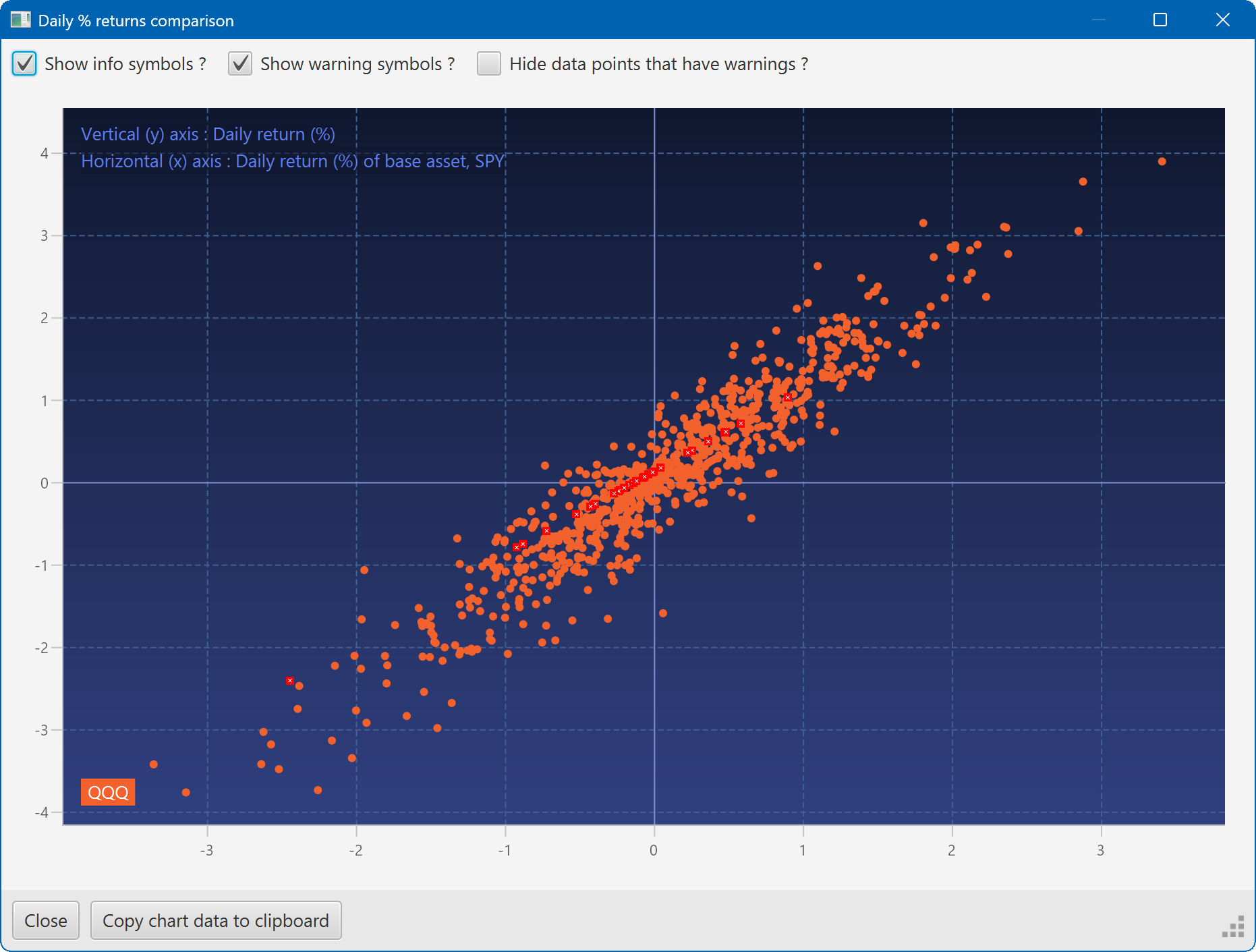
A scatter plot, showing how the daily moves of one security (QQQ) relate to the daily moves of another (SPY)
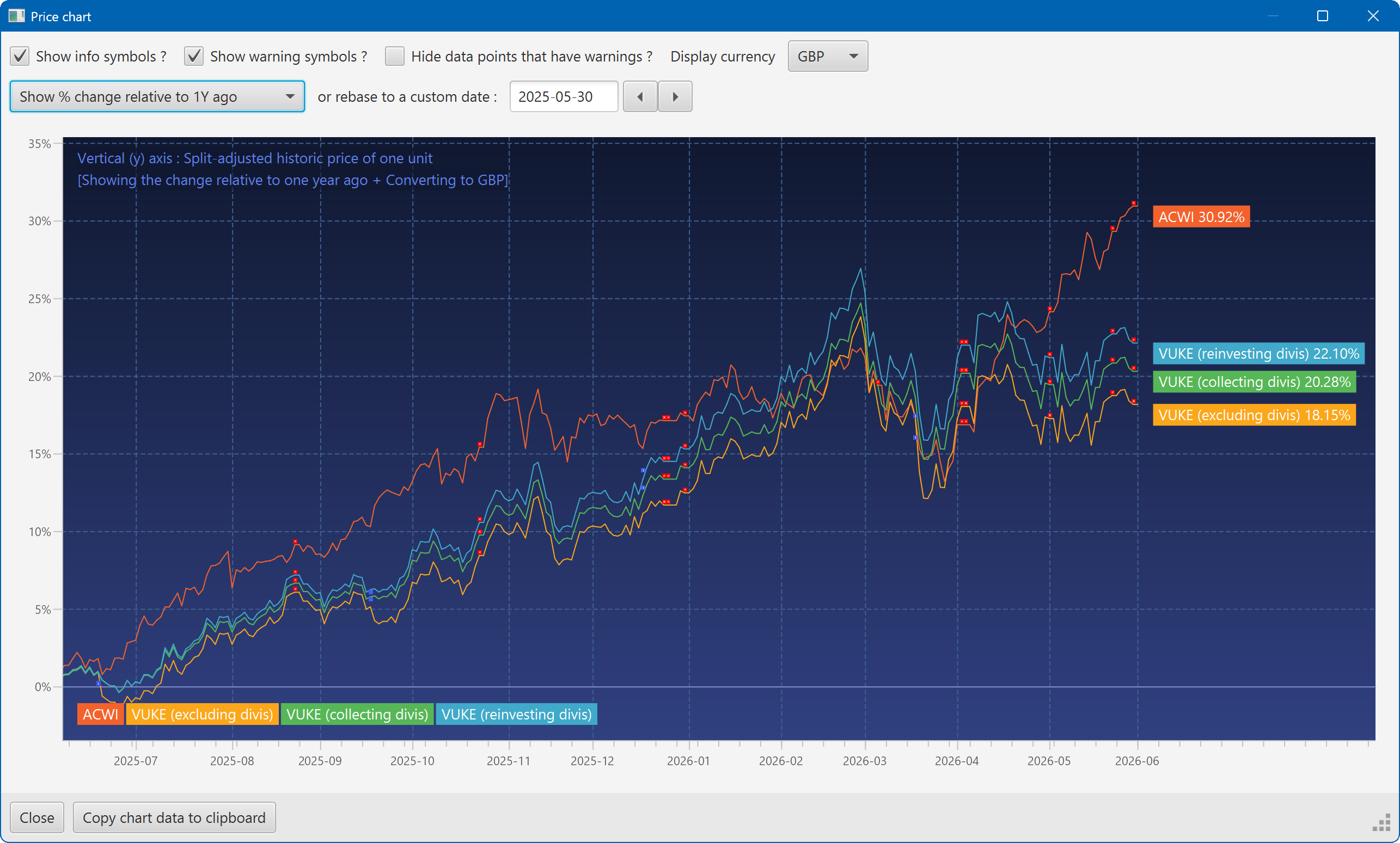
A chart showing the growth of two securities over the past year
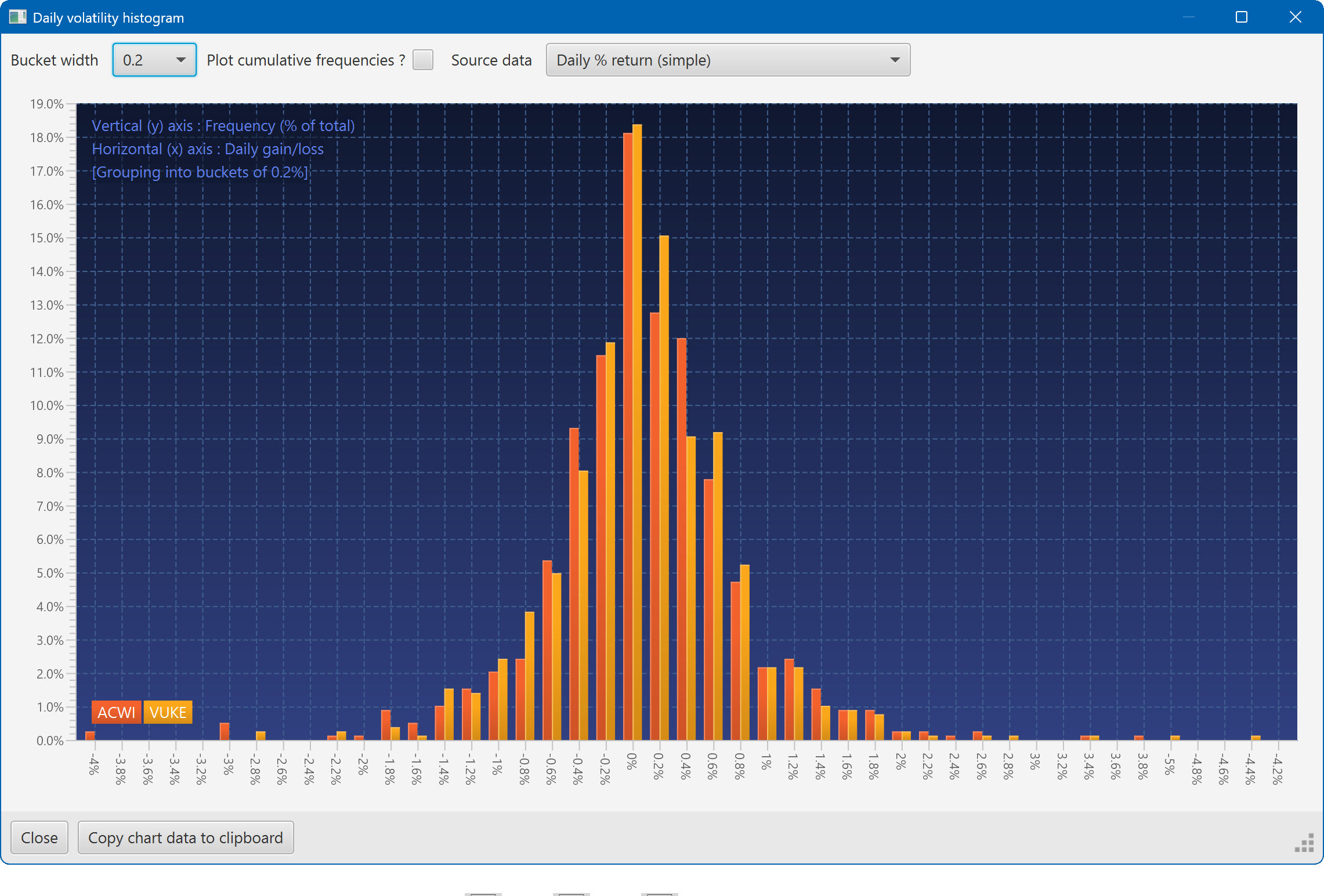
A histogram showing the daily returns of two securities, overlaid
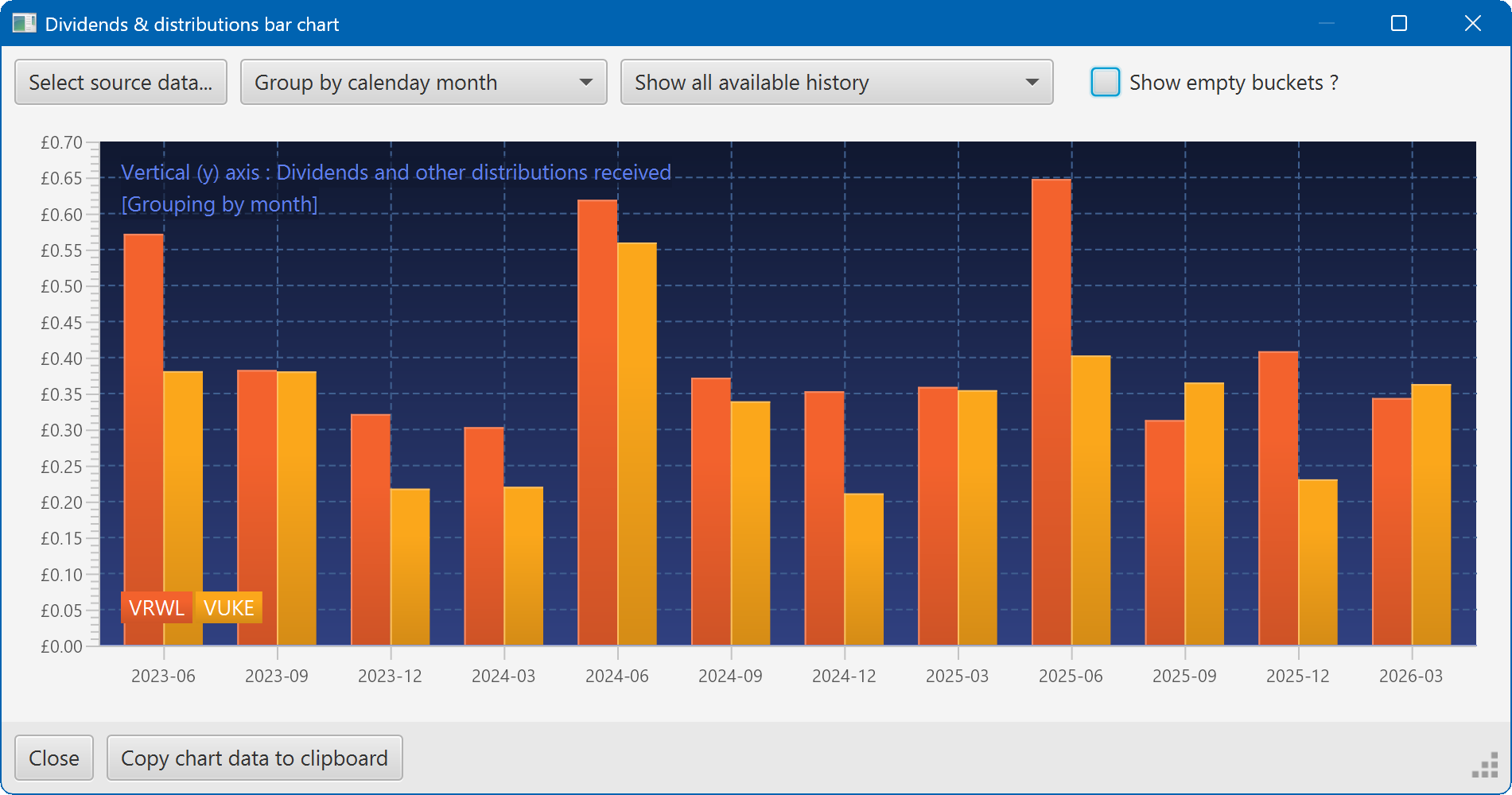
A bar chart showing the dividend history of two securities