
 Multi-currency support
Leveraged ETFs
Cryptocurrencies
UK Gilts
UK CGT reporting
Equalisation payments
List of shortcut keys
Notes on data storage
Multi-currency support
Leveraged ETFs
Cryptocurrencies
UK Gilts
UK CGT reporting
Equalisation payments
List of shortcut keys
Notes on data storage

Portfolio Inspector was hand-written by humans (me, specifically) with minimal AI input. For the moment, at least, I believe that nothing beats good old-fashioned human craftsmanship !

Please note : Once you've installed Portfolio Inspector, the getting started page has a short tutorial to help you find your feet.
Windows download & installation
Download Portfolio-Inspector-1.2.0 Windows Installer (75,177,984 bytes)
By default, Portfolio Inspector will be installed into C:\Program Files\Portfolio Inspector (you can modify this default location if you prefer). The installation program will also create a Start menu entry and a desktop icon.
When installation is complete, just double-click on the desktop icon to begin.
The first time you run Portfolio Inspector, it will create a data directory under your Windows user folder : C:/Users/{your name}/AppData/Local/Portfolio Inspector. This is where your personal data will be stored. You can read more here.
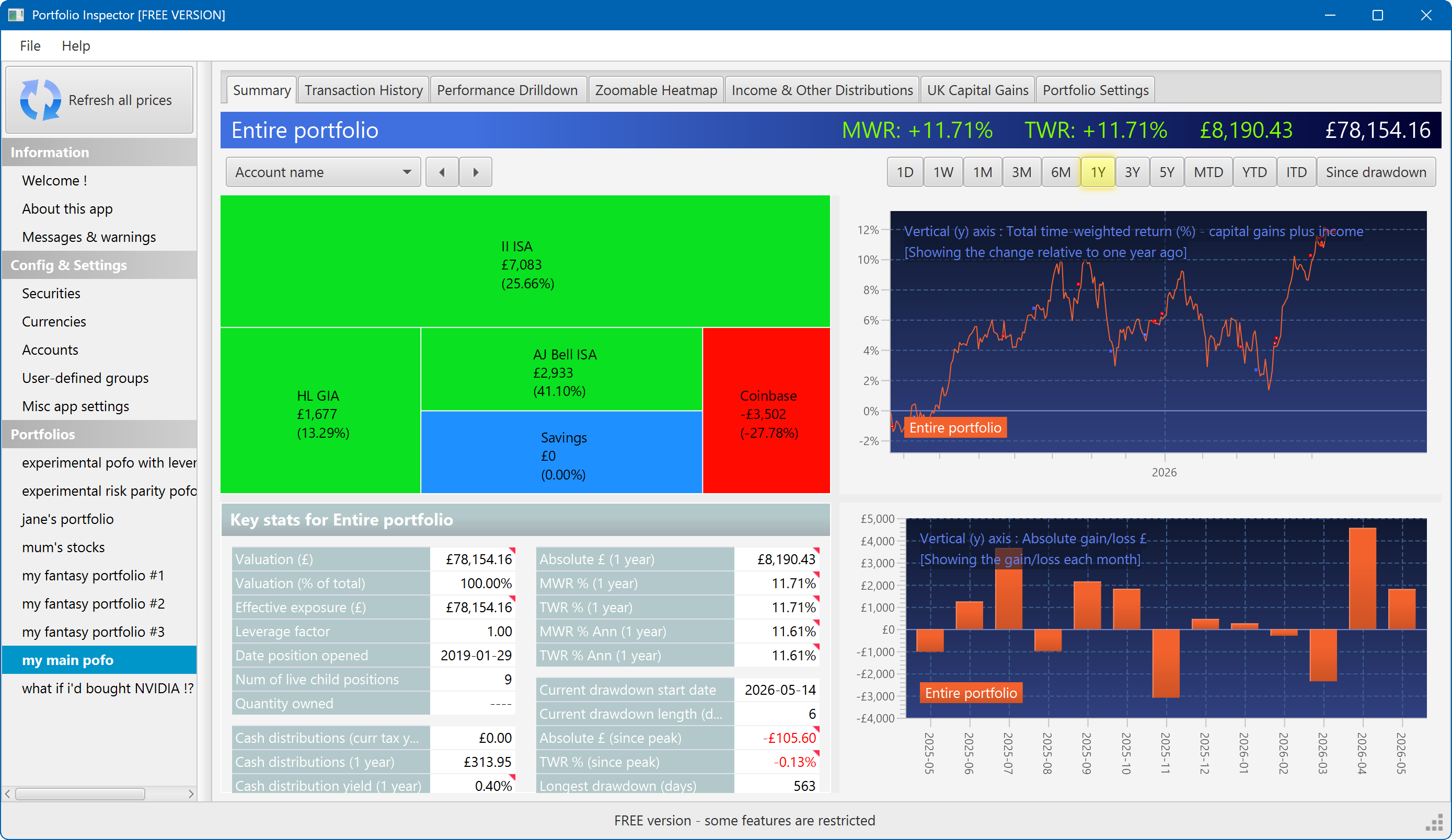
The summary screen gives an at-a-glance overview of your portfolio's performance. To read more about it, click here
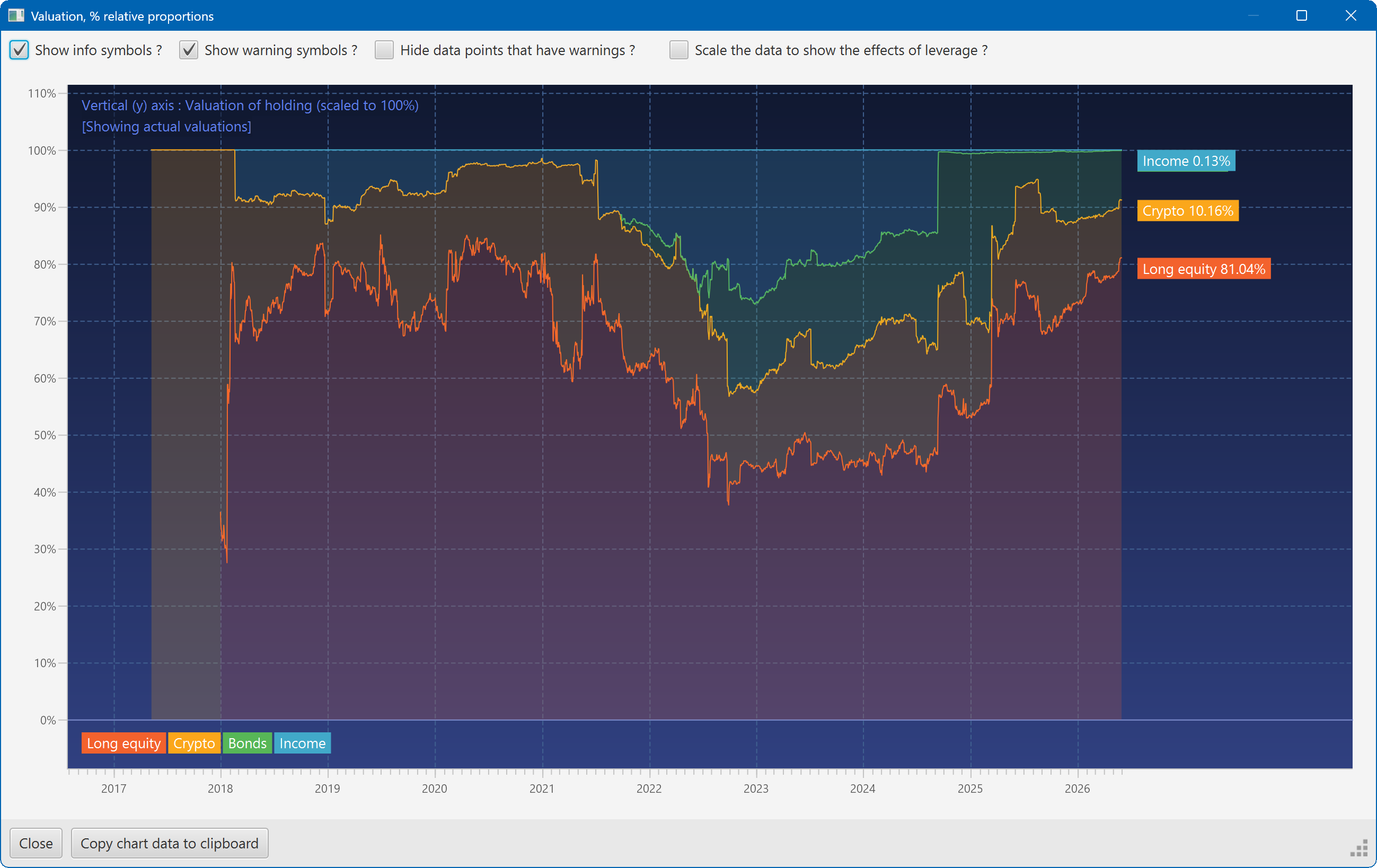
This plot shows the changing composition of a portfolio over time. It uses user-defined groups to organise the assets into different classes.
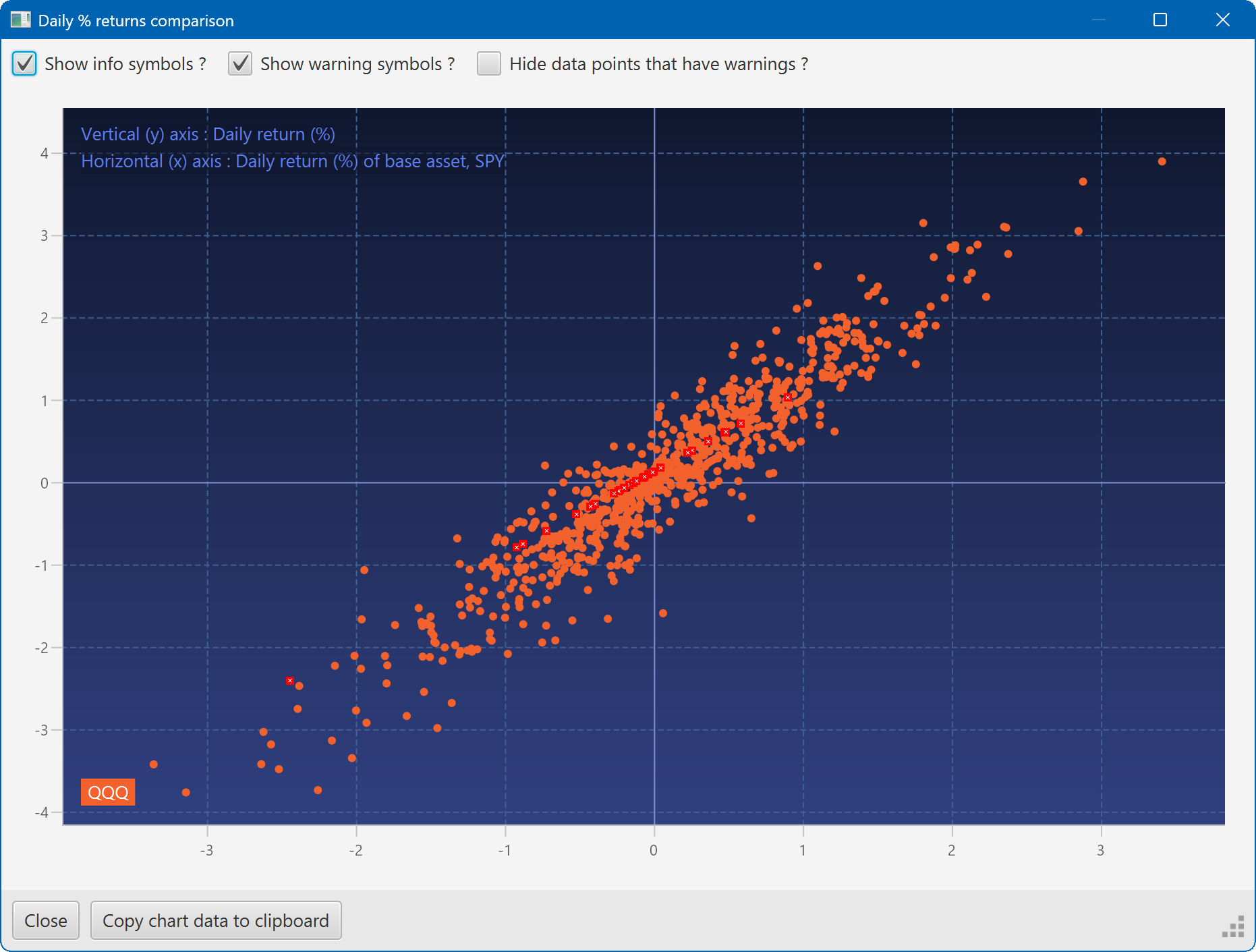
A scatter plot, showing how the daily moves of one security (QQQ) relate to the daily moves of another (SPY)
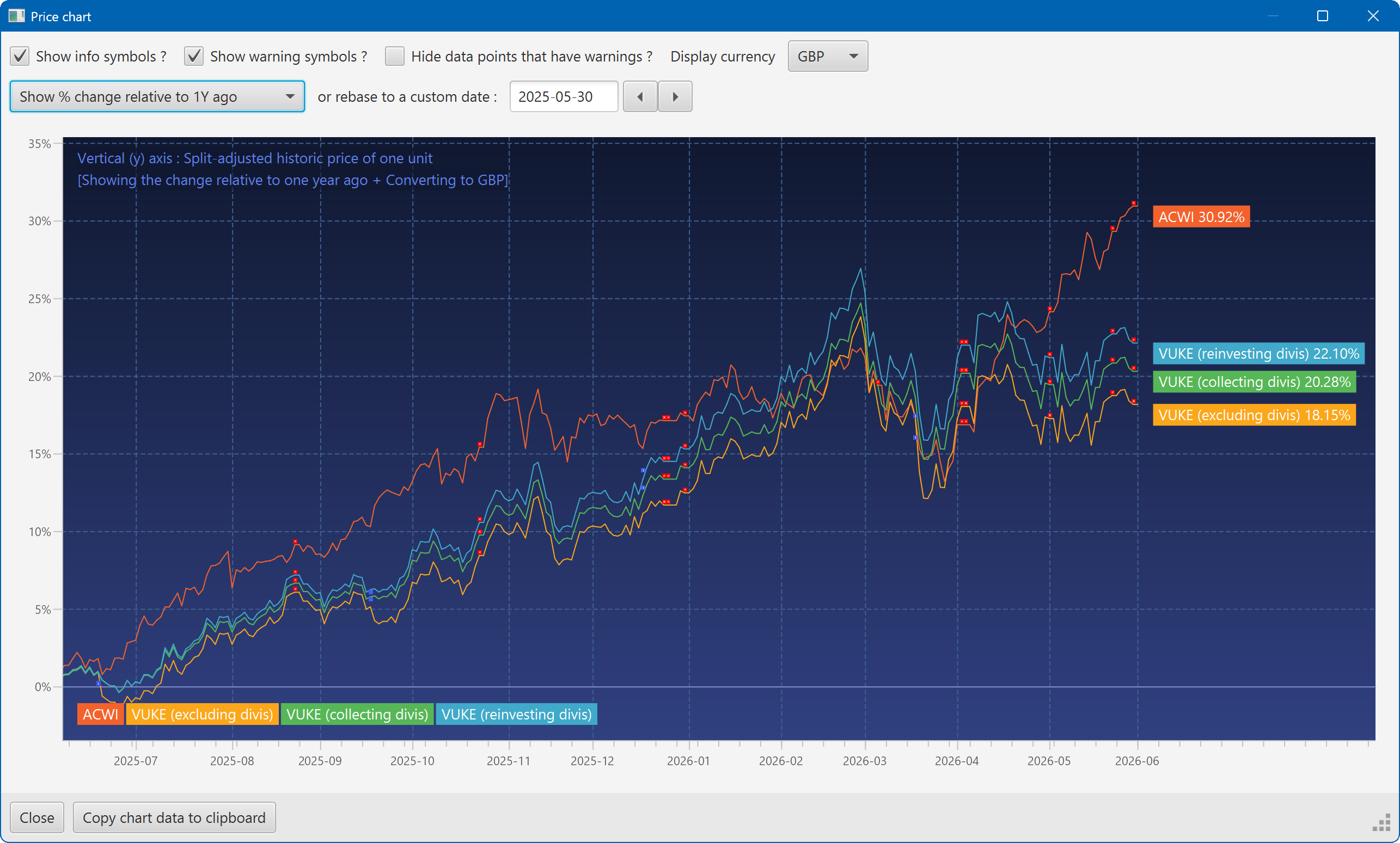
A chart showing the growth of two securities over the past year
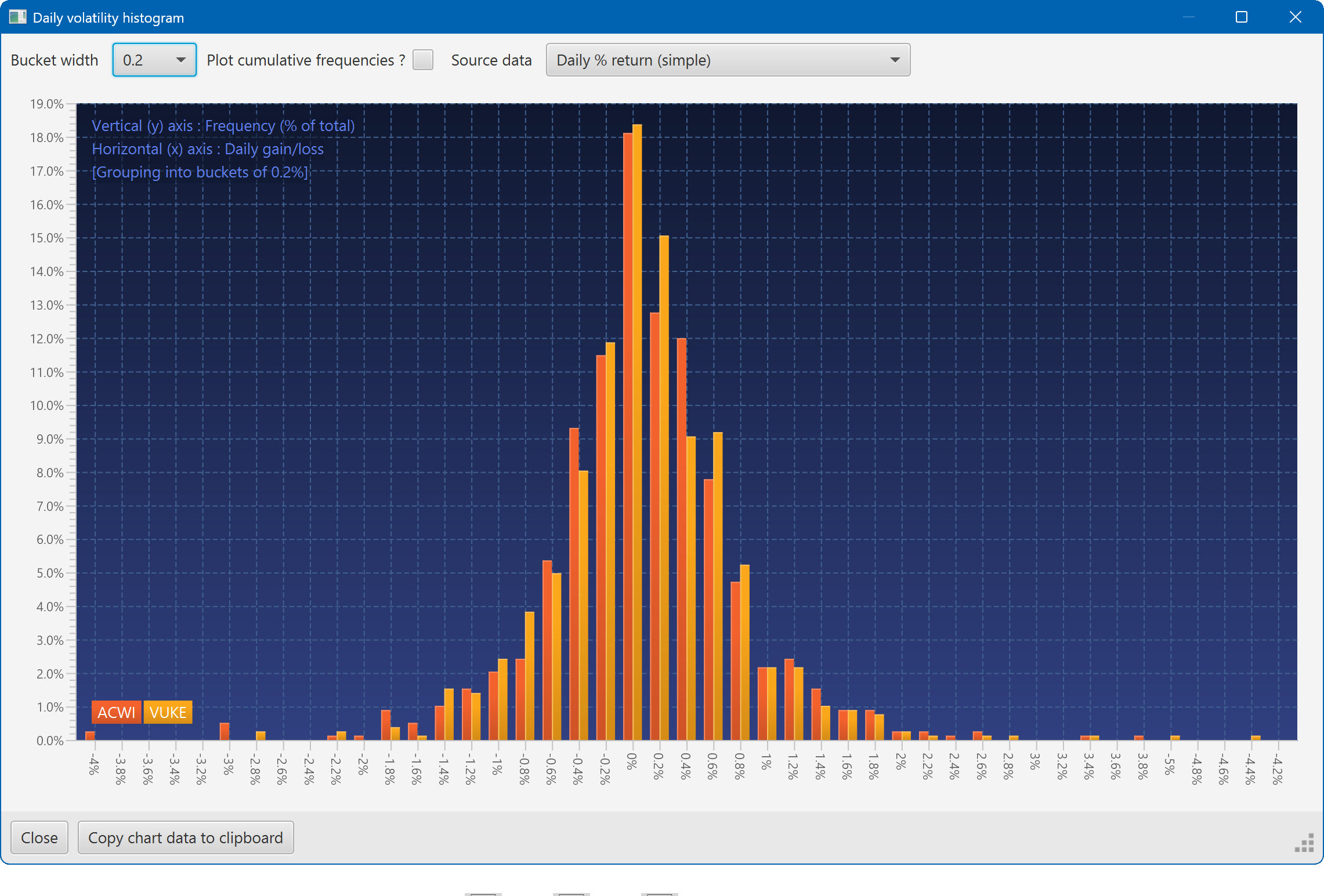
A histogram showing the daily returns of two securities, overlaid
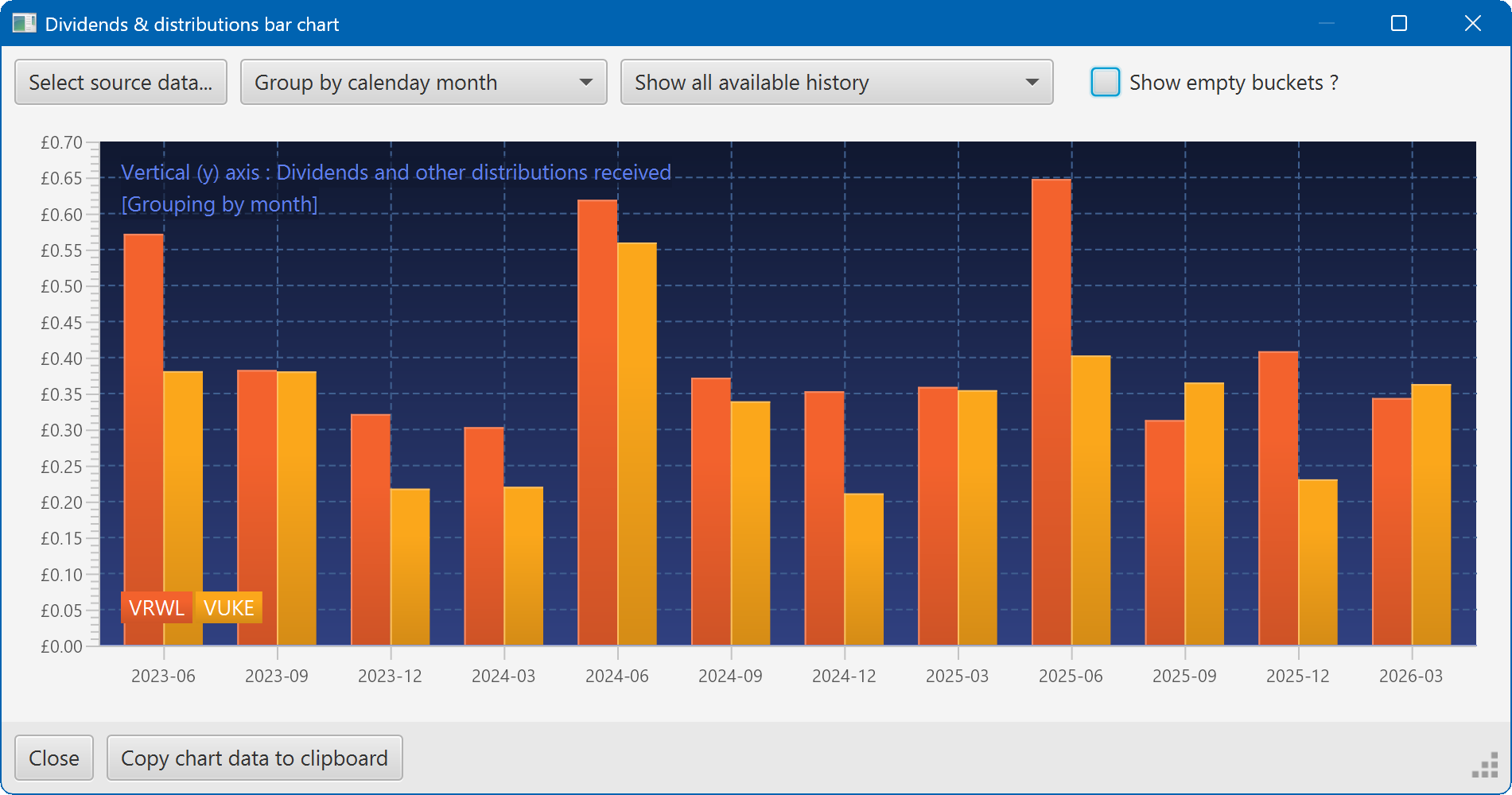
A bar chart showing the dividend history of two securities