 Multi-currency support
Leveraged ETFs
Cryptocurrencies
UK Gilts
UK CGT reporting
Equalisation payments
List of shortcut keys
Multi-currency support
Leveraged ETFs
Cryptocurrencies
UK Gilts
UK CGT reporting
Equalisation payments
List of shortcut keys
 Notes on data storage

Portfolio Inspector was hand-written by humans (me, specifically) with minimal AI input. For the moment, at least, I believe that nothing beats good old-fashioned human craftsmanship !

How Portfolio Inspector stores your data
When you start Portfolio Inspector for the first time, it will create a data directory that contains the following files :
| main.db | The Sqlite database that will be used to store all your private transaction data. This file is managed by Portfolio Inspector and should not be deleted or modified directly |
| user.css | A CSS stylesheet that controls the visual appearance of Portfolio Inspector. You can edit this file in any text editor to completely change Portfolio Inspector's appearance |
On Windows, the default location for the data folder is C:/Users/{your name}/AppData/Local/Portfolio Inspector. You can override the default by passing an alternative folder name on the command-line when you start Portfolio Inspector.
Note that Portfolio Inspector never sends your private data to the cloud. All data that you enter remains on your local device, forever.
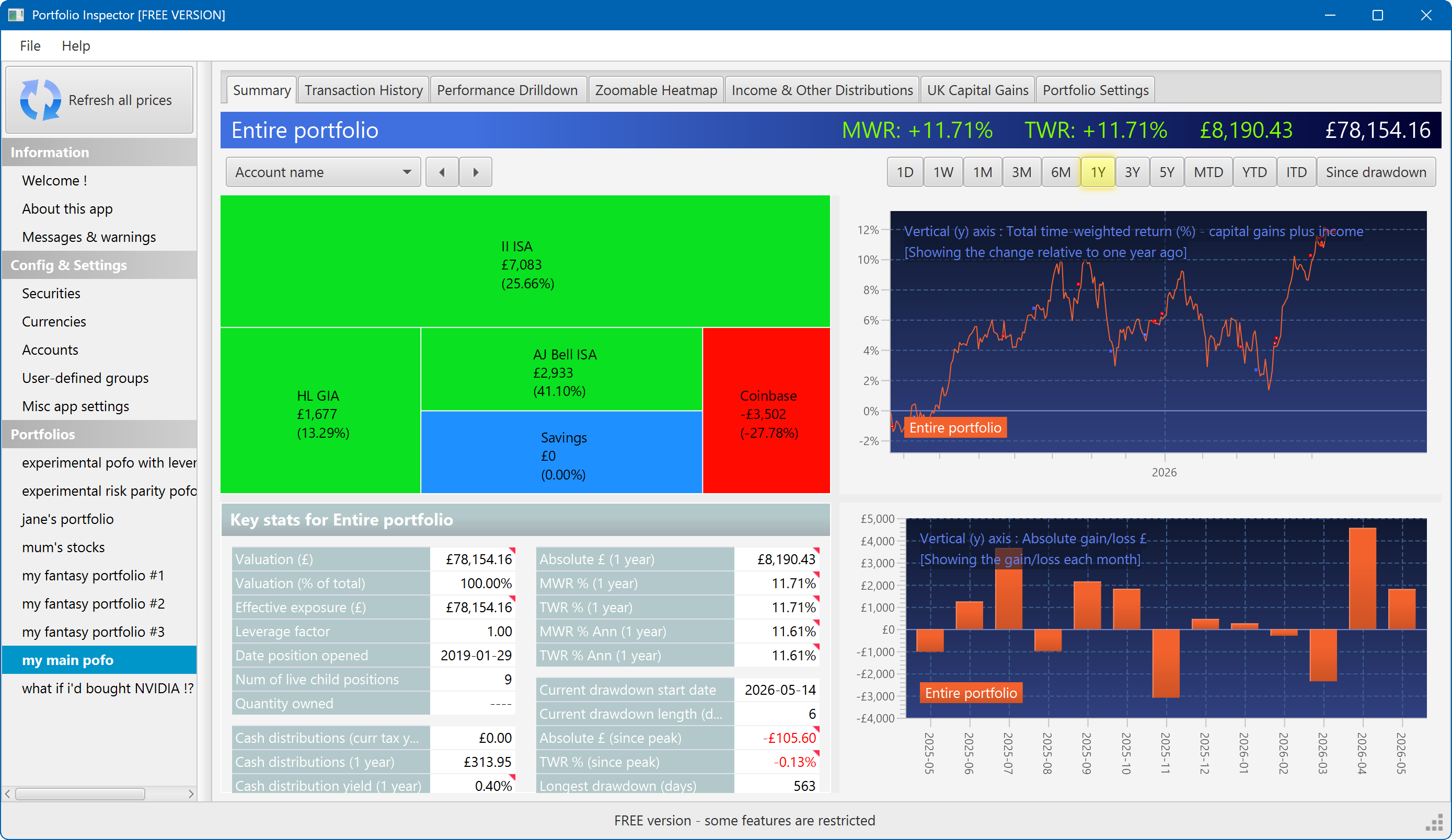
The summary screen gives an at-a-glance overview of your portfolio's performance. To read more about it, click here
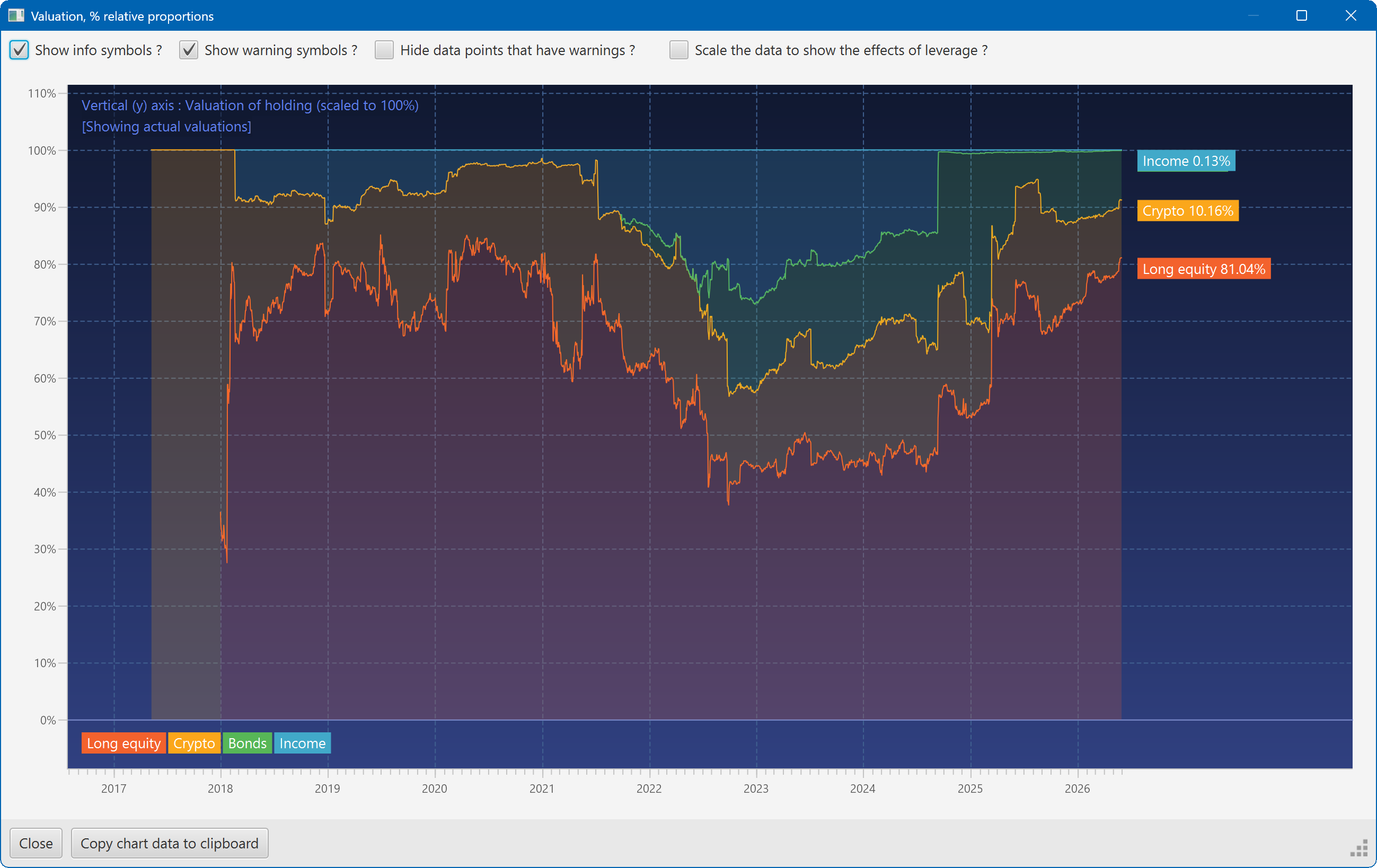
This plot shows the changing composition of a portfolio over time. It uses user-defined groups to organise the assets into different classes.
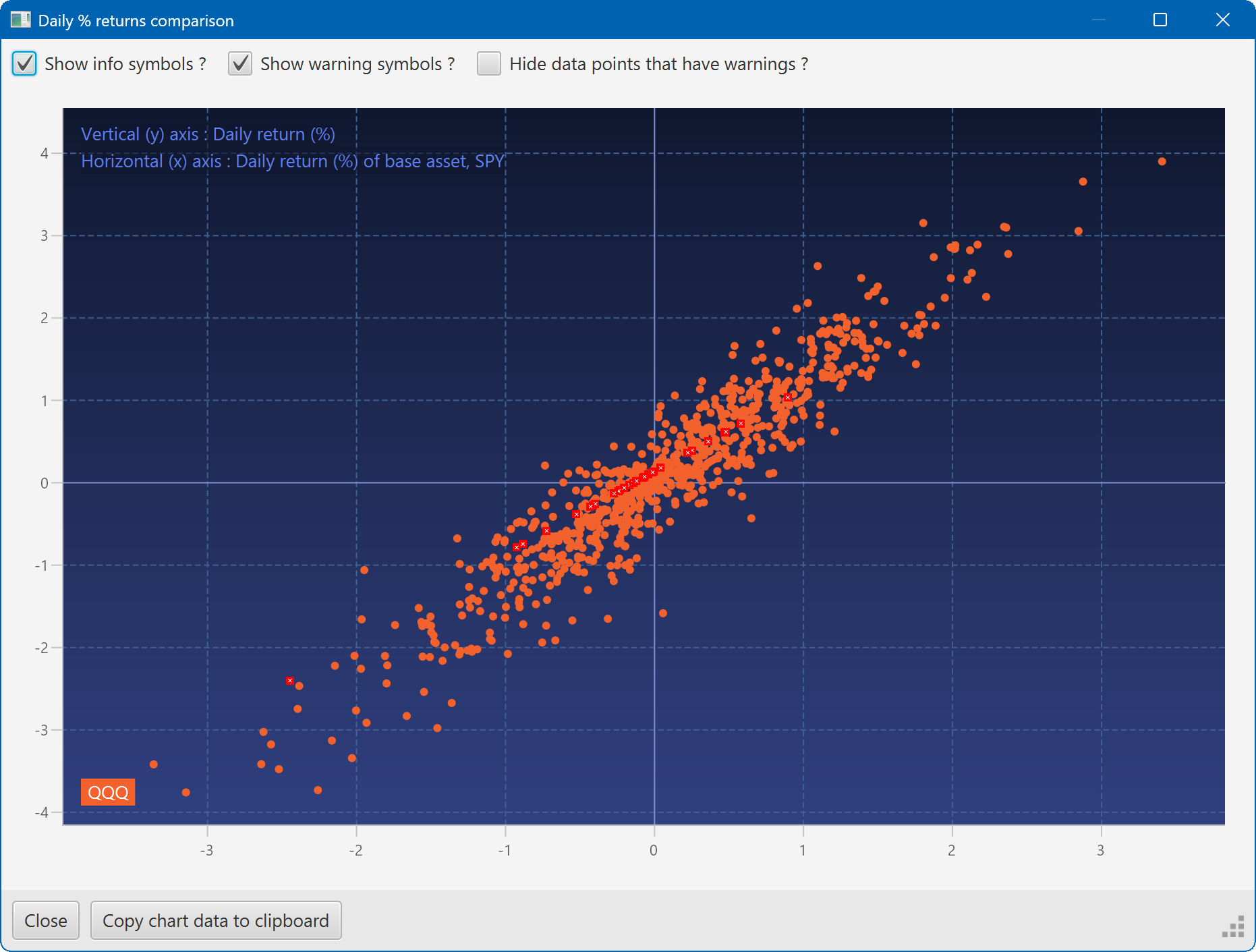
A scatter plot, showing how the daily moves of one security (QQQ) relate to the daily moves of another (SPY)
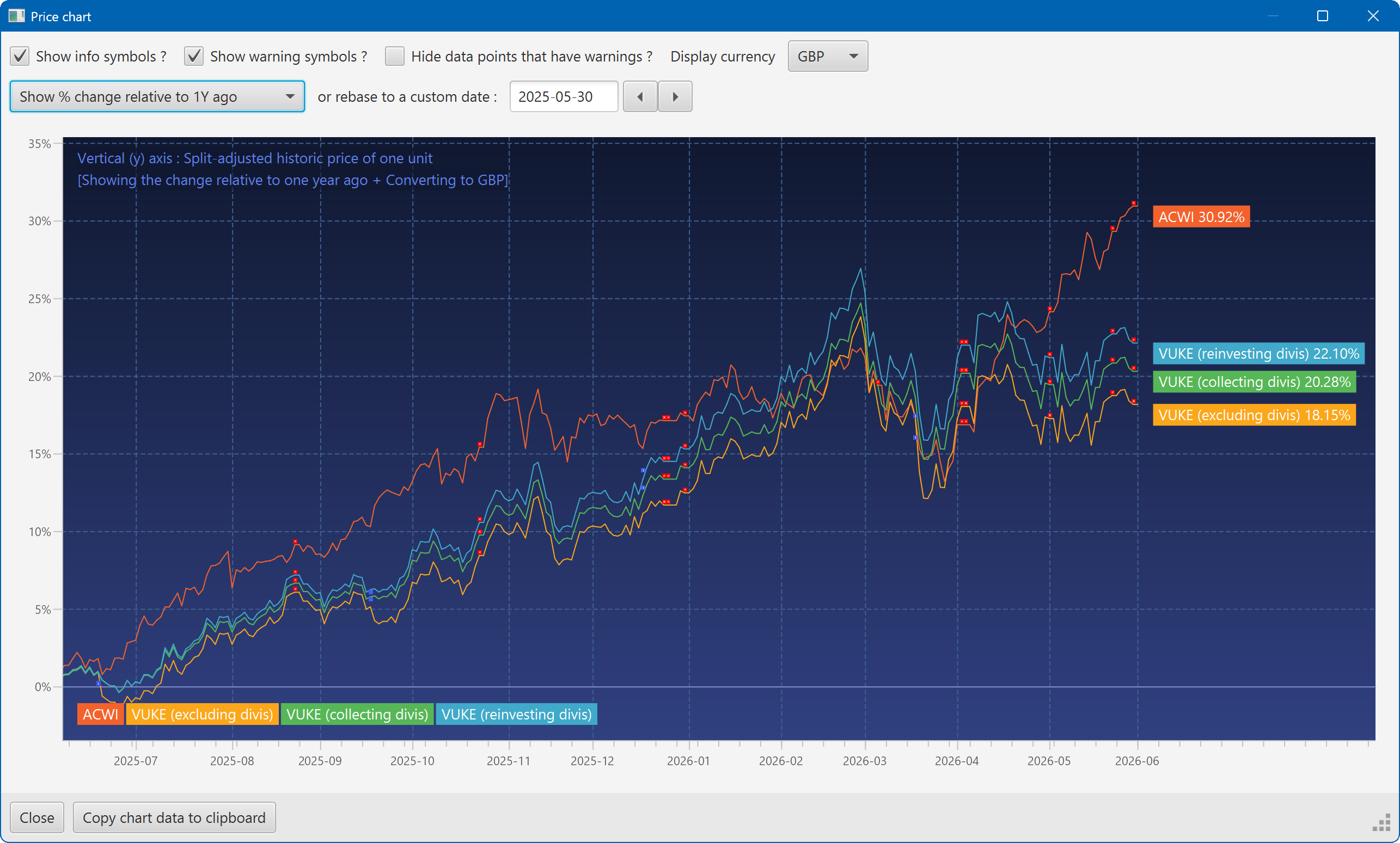
A chart showing the growth of two securities over the past year
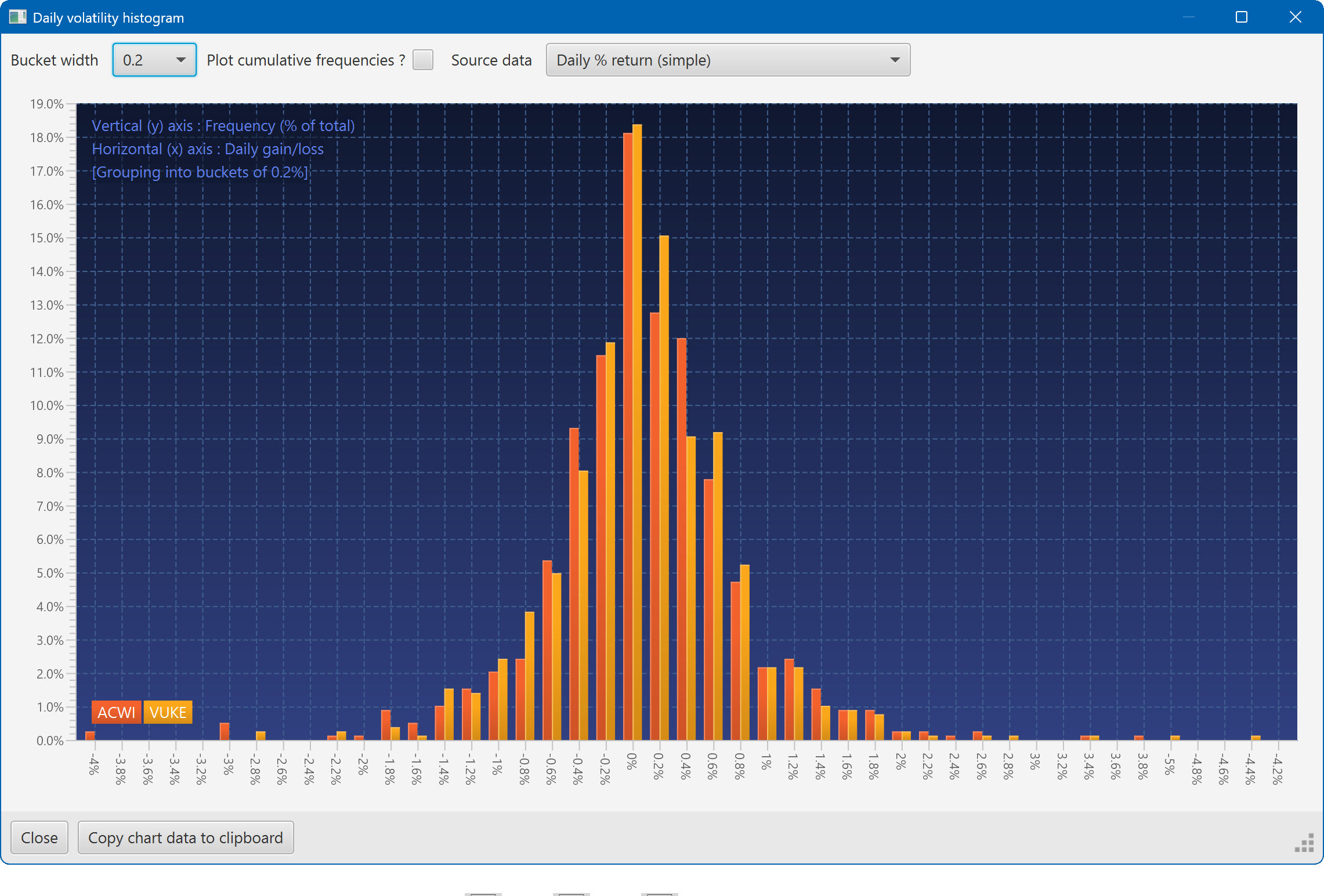
A histogram showing the daily returns of two securities, overlaid
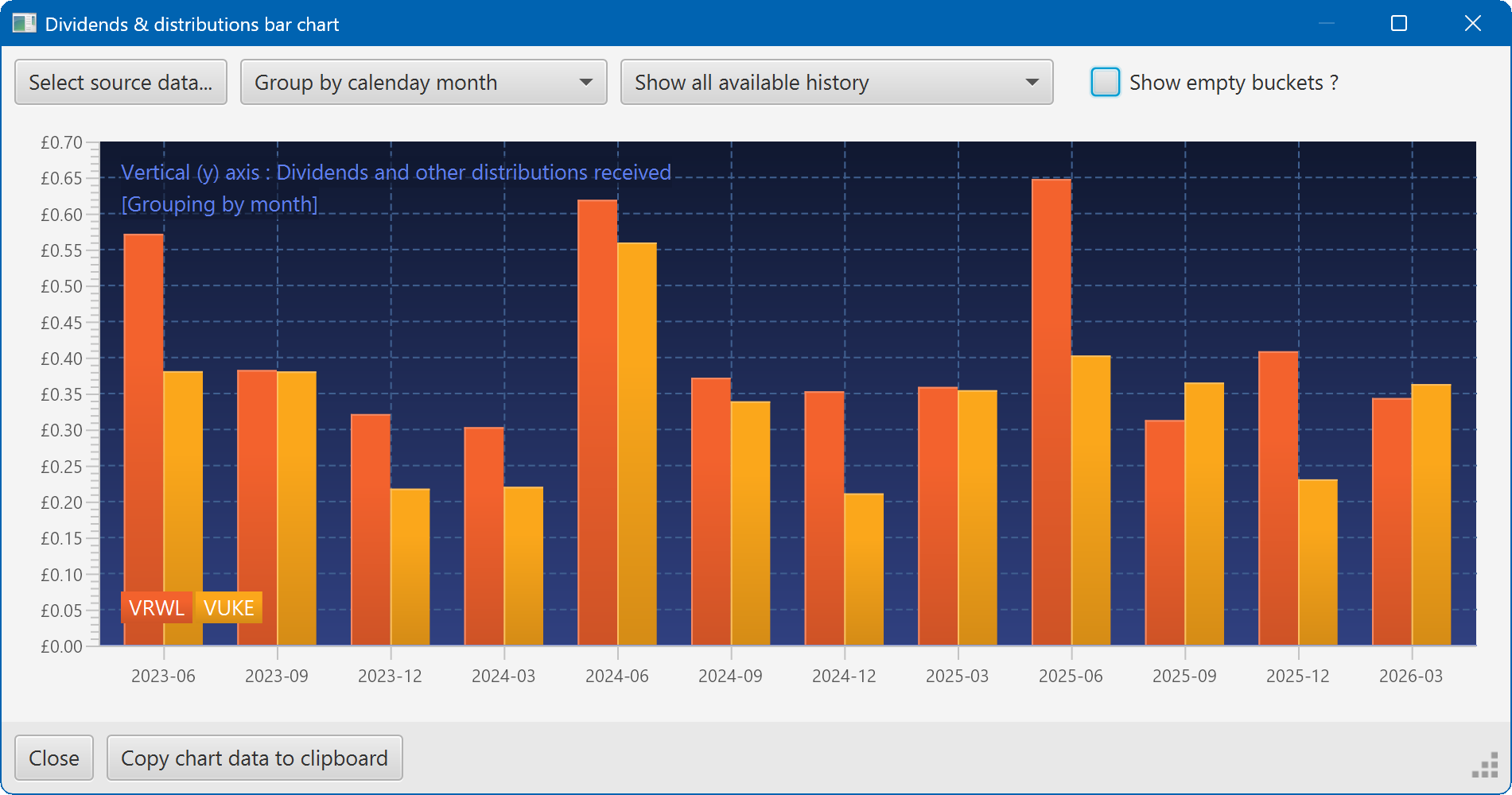
A bar chart showing the dividend history of two securities